PROJECTS

Real builds.
Practical possibilities.

A closer look at the things I build - connecting sensors, making data useful and bringing everyday ideas to life.

Explore the builds

01 / SOIL MONITORING

See what’s happening
beneath your home.

Wireless sensors. Clear readings. A history you can look back on.

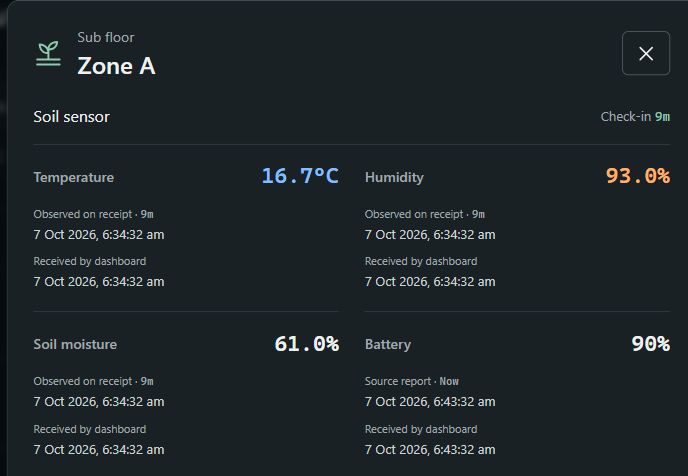
This build tracks soil moisture, temperature and humidity across four subfloor zones, with dashboards that make the readings easy to understand.

  • Soil moisture
  • Temperature
  • Humidity
Take a closer look
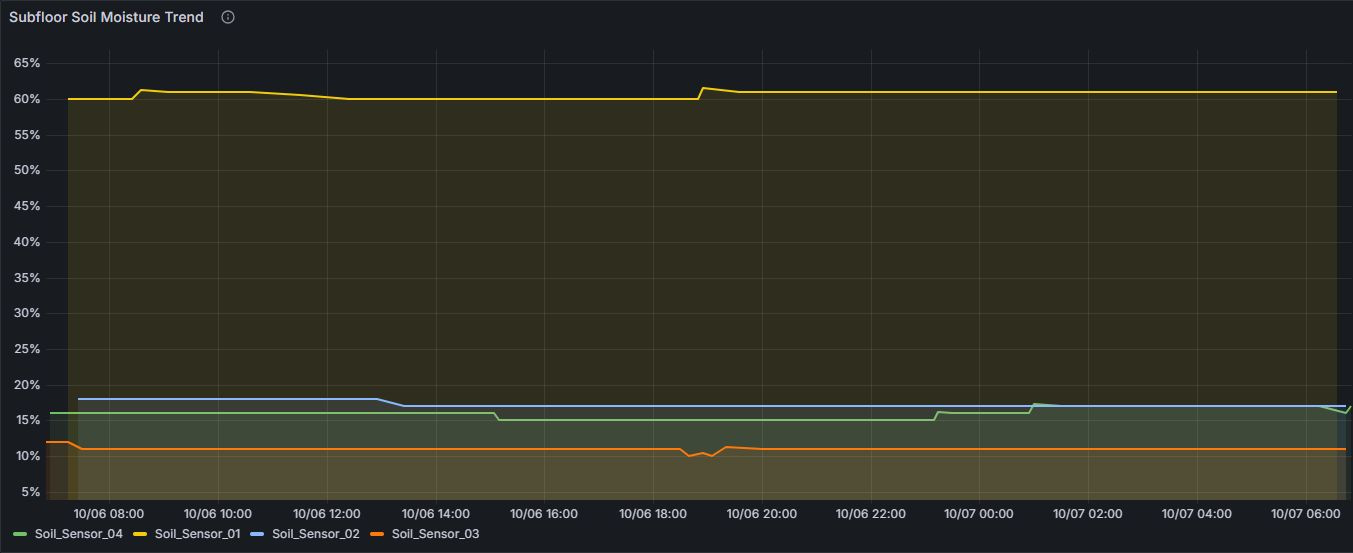
The actual Grafana Subfloor Soil Moisture Trend panel, showing four soil-sensor readings over 6-7 October 2026.
Actual build · soil-moisture history in Grafana
01

See the current picture

Compare readings across different areas at a glance.

02

Look back over time

Grafana graphs help reveal patterns beyond a single reading.

03

Bring it all together

A connected system, from the sensors to the dashboard.

THE SOIL SENSORS

Small sensors. Useful insight.

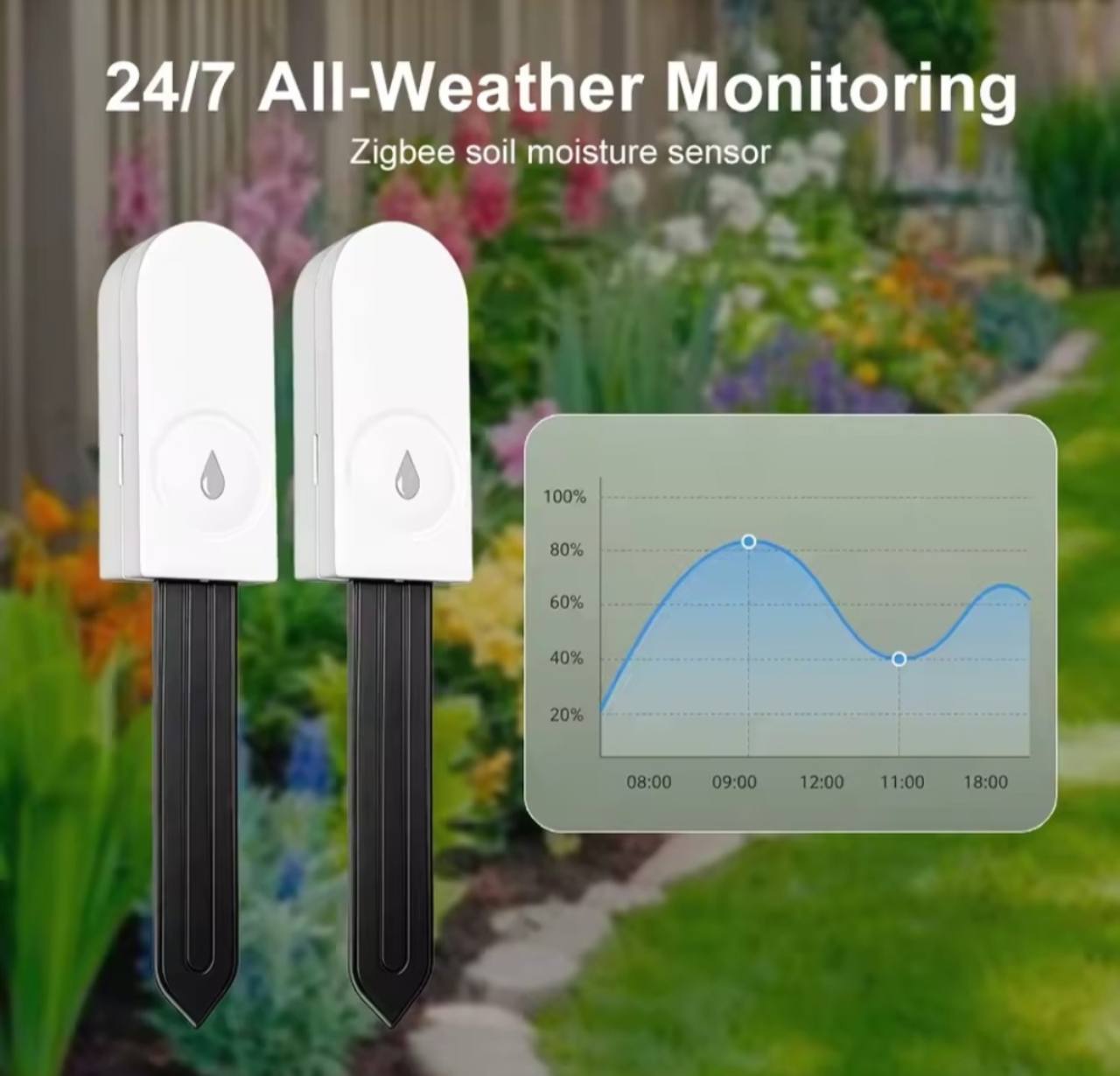
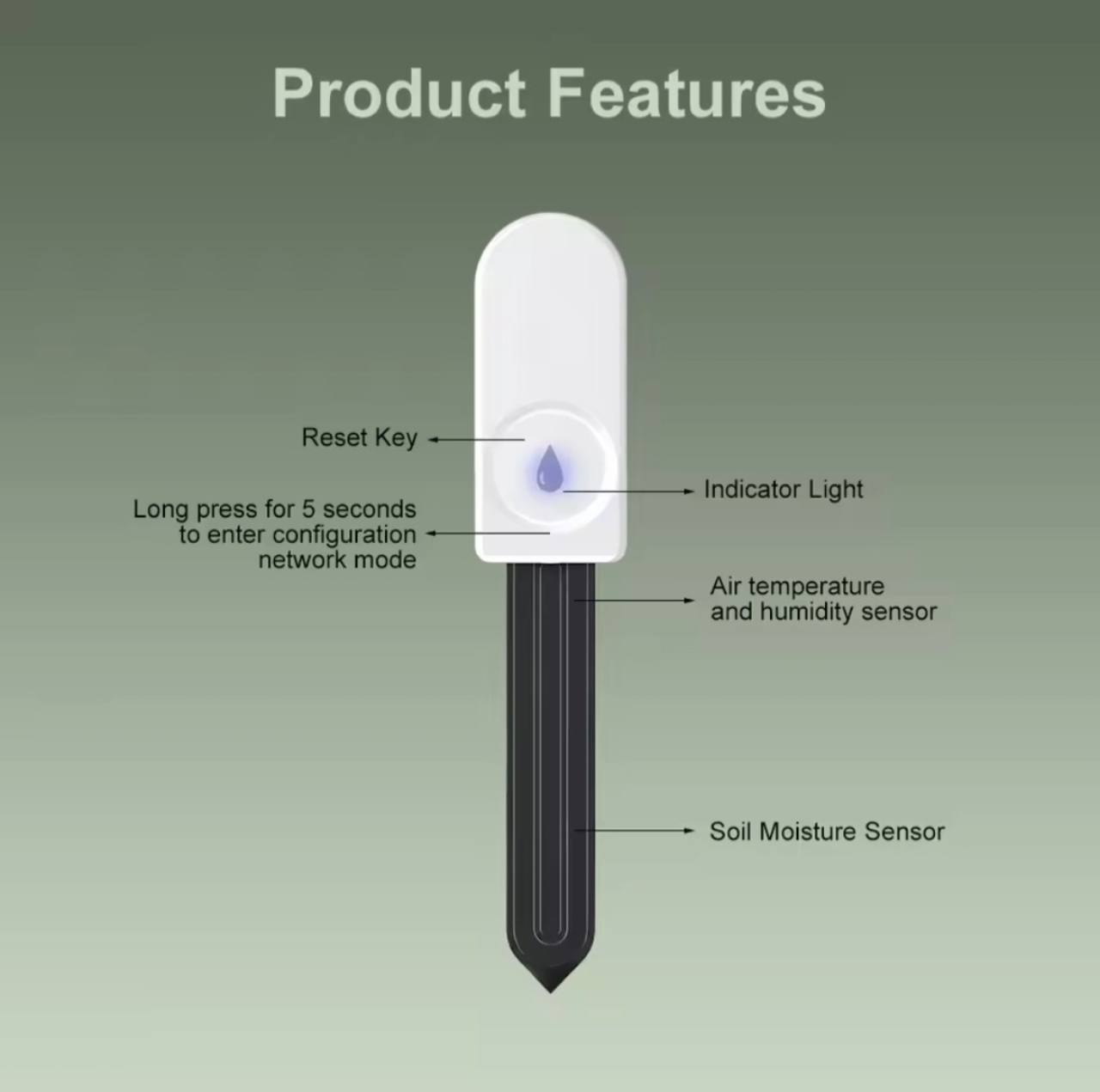
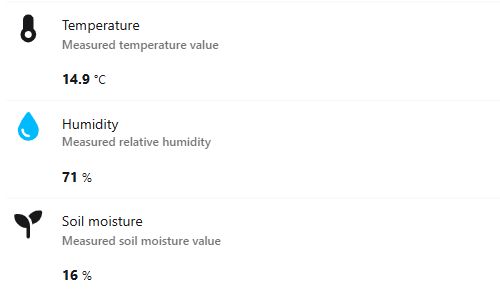
Product reference images.

THE BIGGER PICTURE / GRAFANA

Today’s reading is only part of the story.

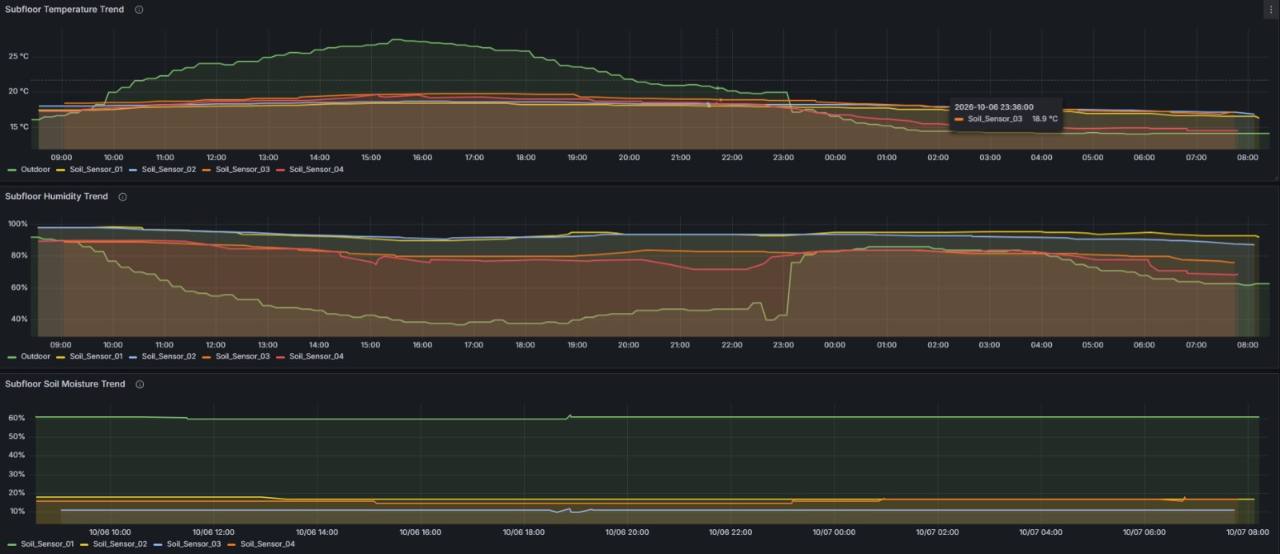
Historical graphs make it easier to compare zones, spot changes and follow conditions over time - useful context for a closer inspection or a conversation with your plumber.

BEHIND THE BUILD

Small hardware.
A connected system.

A Raspberry Pi and SONOFF Zigbee coordinator connect the sensors. Zigbee2MQTT brings their readings into the system, and Grafana gives the history a clear visual story.

Built on excellent open-source tools, brought together for a practical purpose.

02 / SMART DISPLAYS

An Echo Show,
reimagined.

A repurposed Echo Show. A Raspberry Pi kiosk. A useful view of the day.

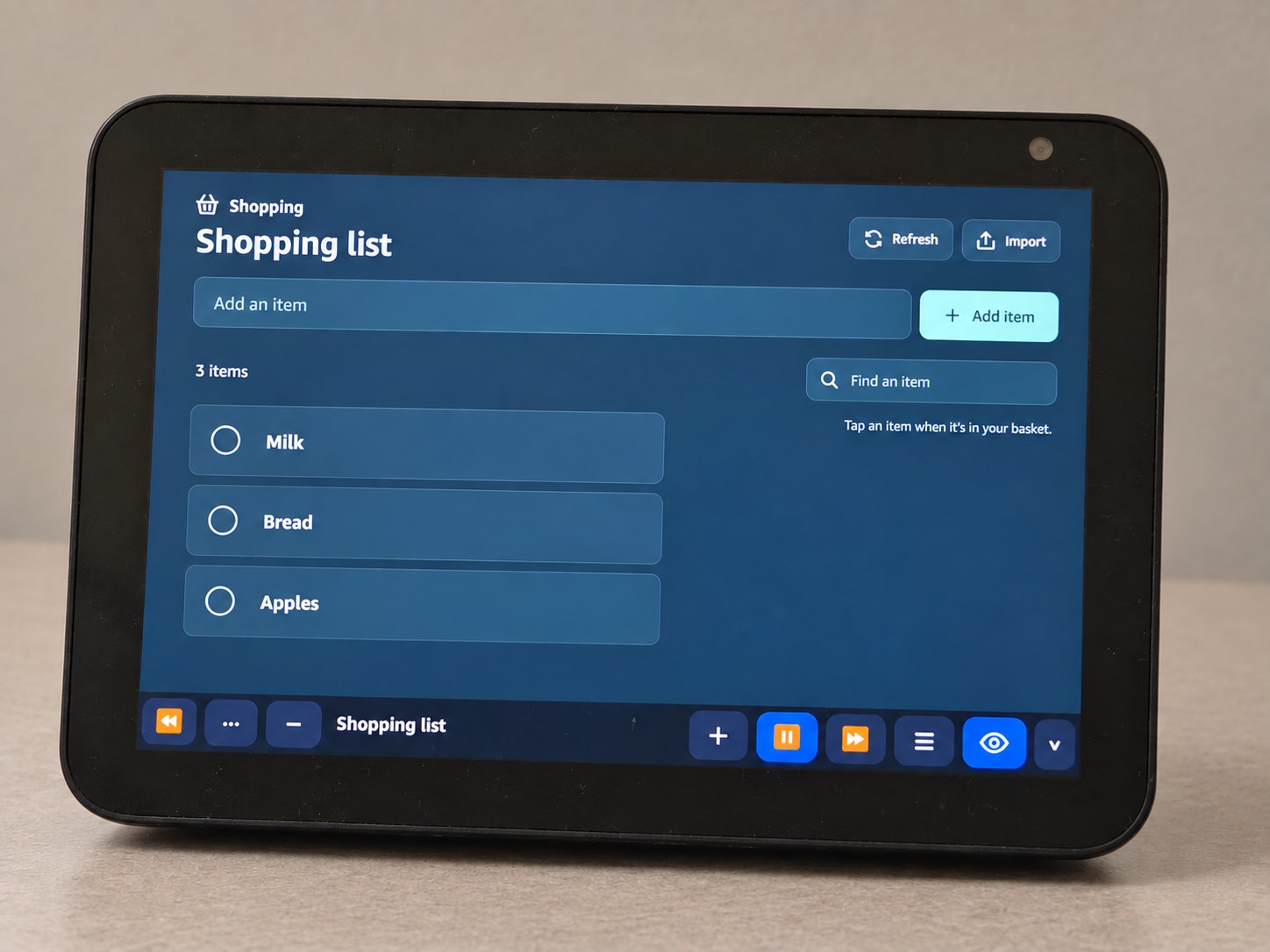
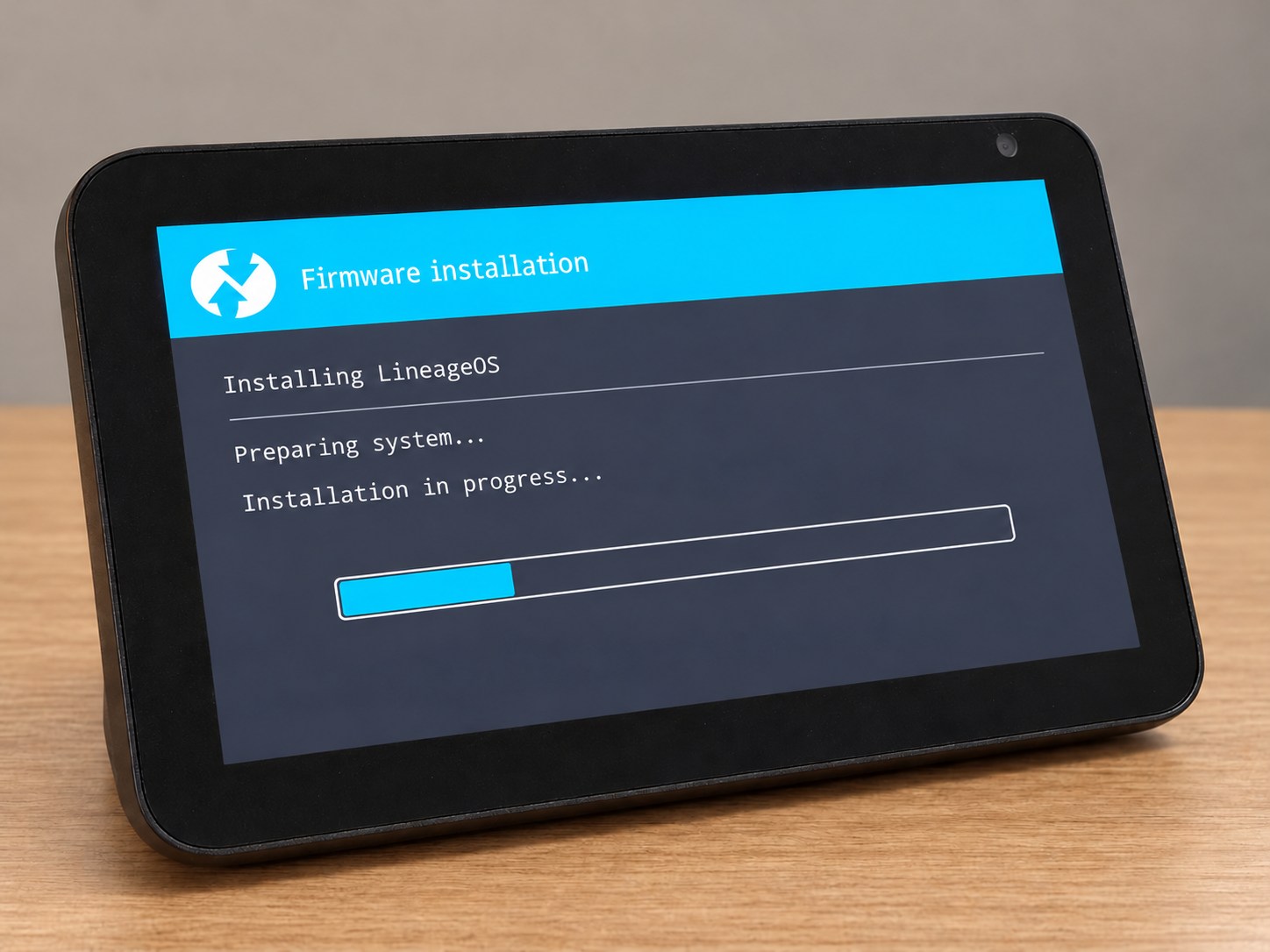
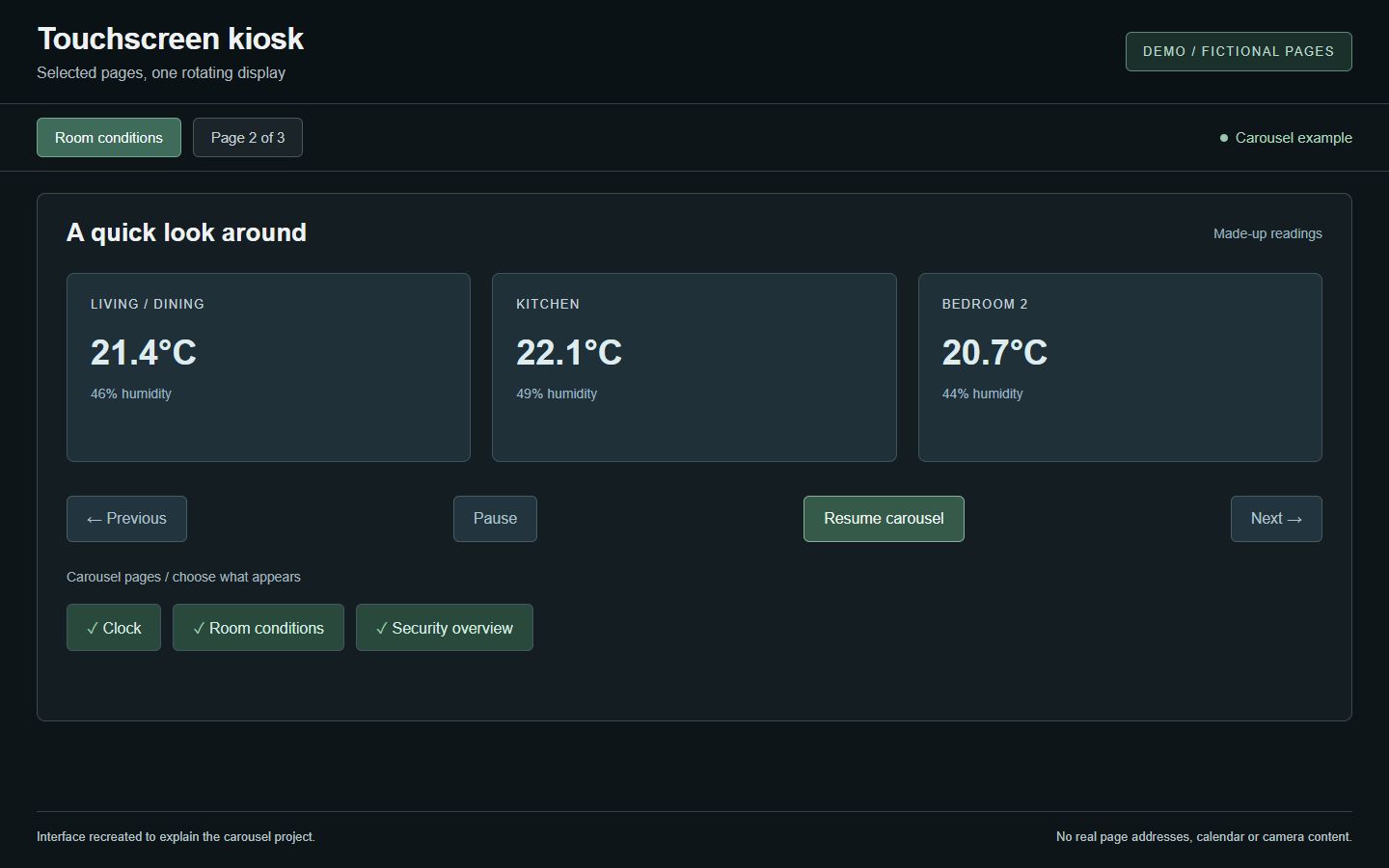
The Echo Show was rebuilt with LineageOS, giving it a new role as a custom smart display. The kiosk brings selected web pages into a rotating carousel.

Built on the Echo Show community’s work. Read Hackaday’s jailbreak write-up or the original XDA guide.

  • Repurposed hardware
  • Page carousel
  • Touch controls
See the carousel
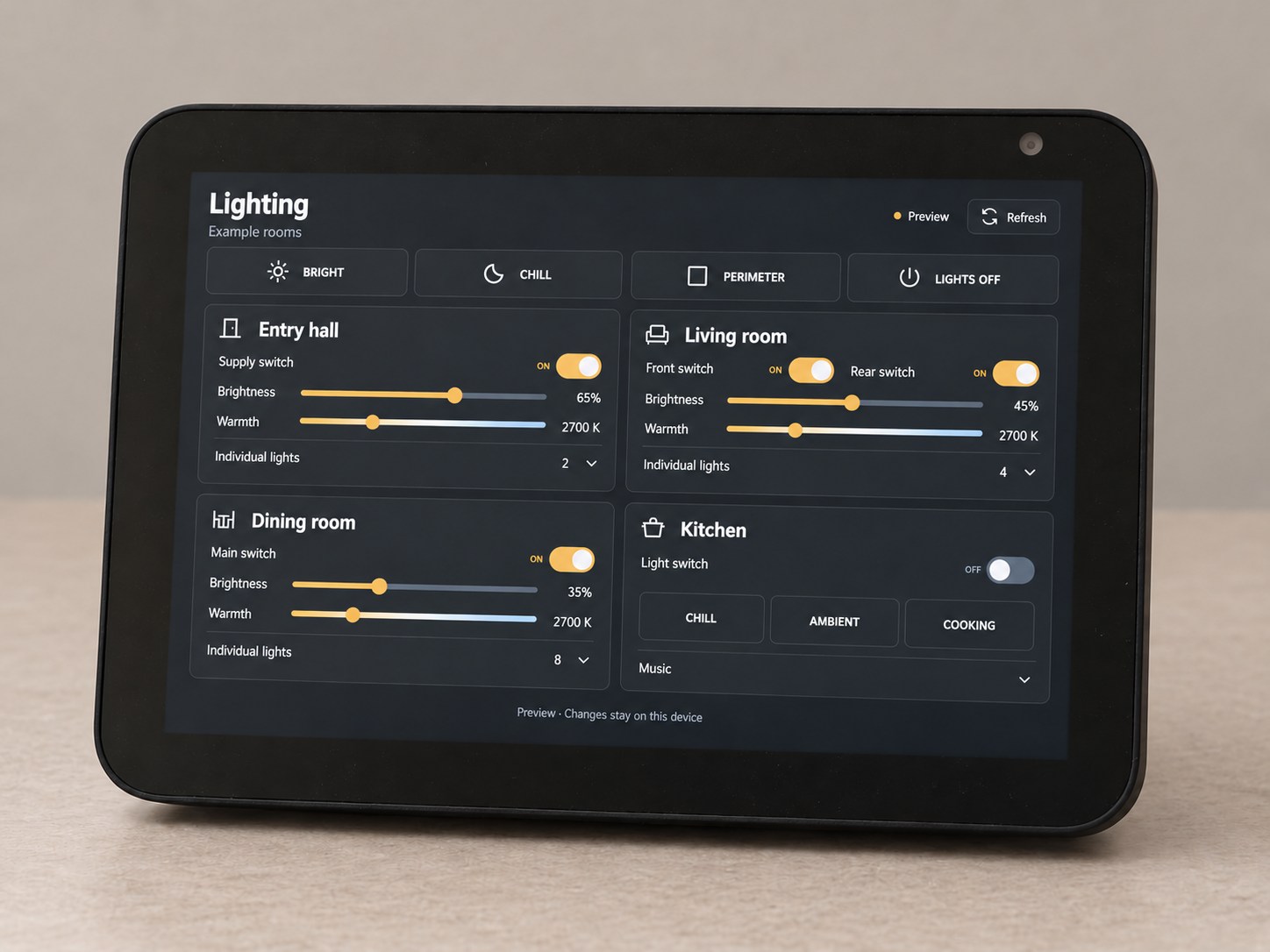
Edited photo of the actual repurposed Echo Show displaying a fictional lighting dashboard. The background and demo screen have been replaced for privacy.
Edited photo · actual Echo Show, demo screen and replaced background
01

Choose the view

Pick which pages belong in the carousel.

02

Let it rotate

Bring clocks, dashboards and other useful pages to the screen.

03

Pause for a closer look

Touch controls keep the page you need in view.

03 / CONNECTED HOME

Your home,
at a glance.

Room conditions and security readings, brought into one clear view.

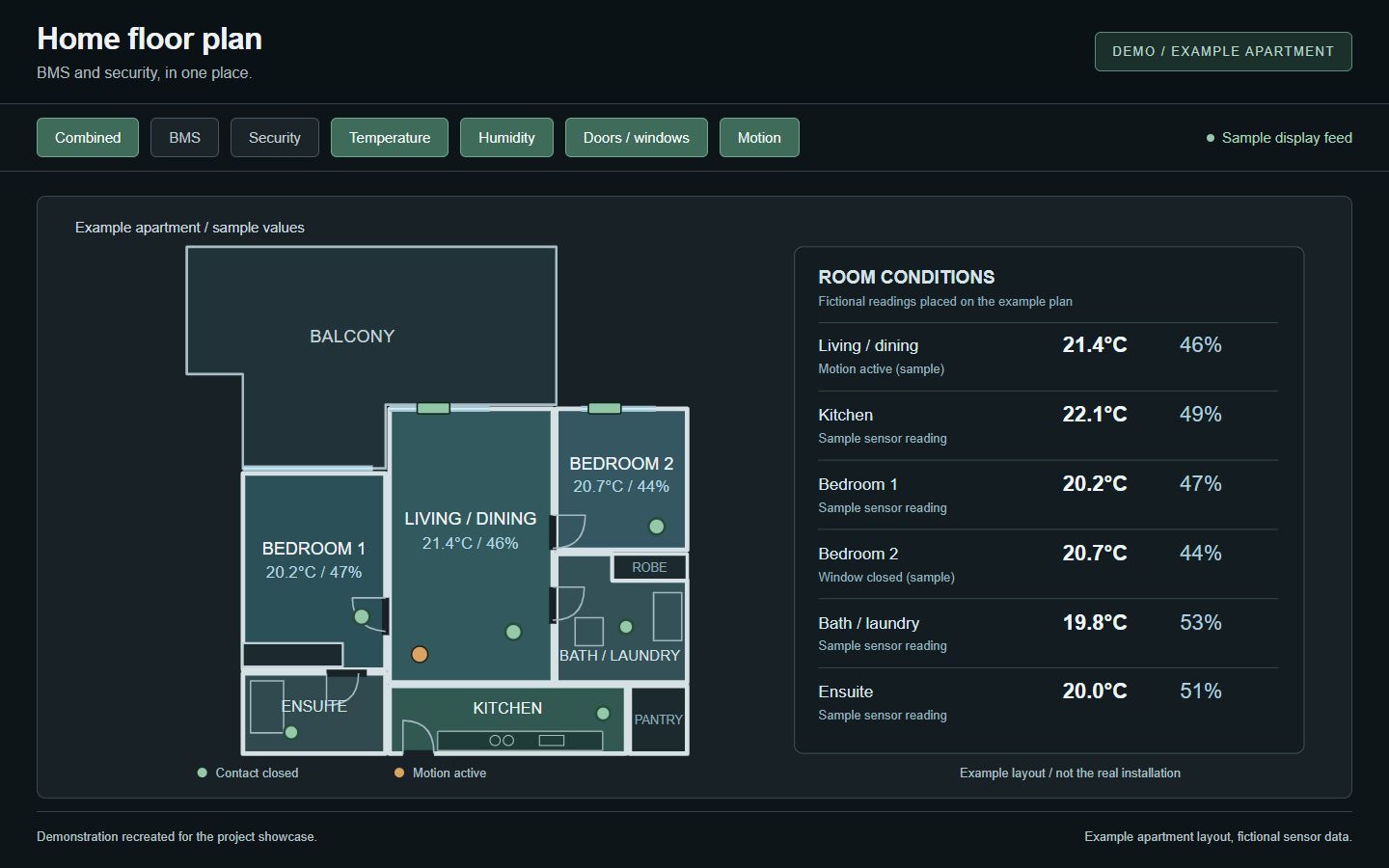
The floor-plan dashboard places temperature, humidity, motion and door/window states on a home map. Separate sensor and alarm views make the detail easy to follow.

  • Room conditions
  • Motion and contacts
  • Sensor detail
Explore the dashboards
Recreated floor-plan dashboard using an example two-bedroom apartment layout, with made-up temperature, humidity, motion and contact readings. This is a demonstration, not the real installation.
Demonstration · example apartment plan and sample readings
01

See the room

A floor plan gives each reading some context.

02

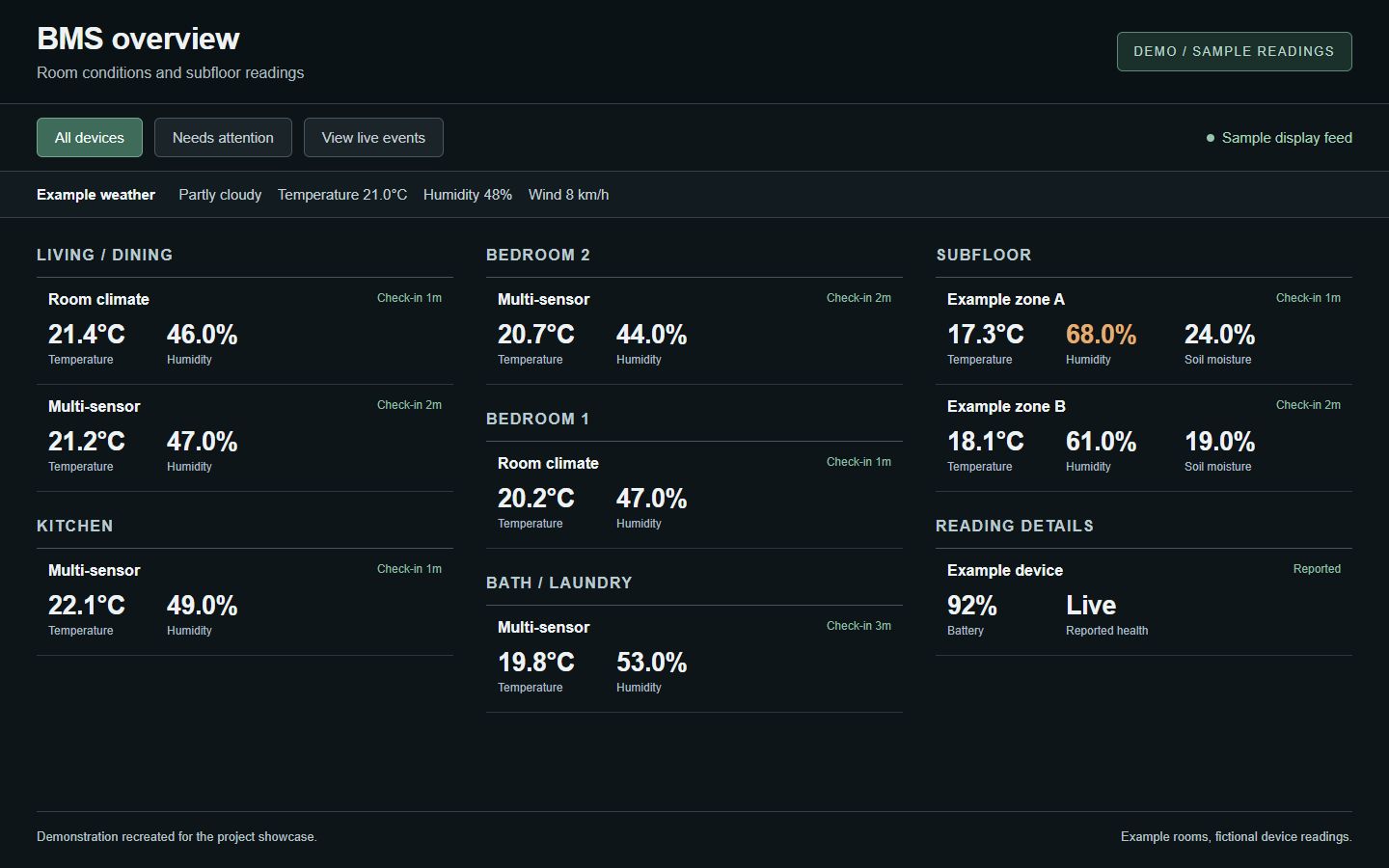
Follow the conditions

Temperature, humidity and subfloor readings in one overview.

03

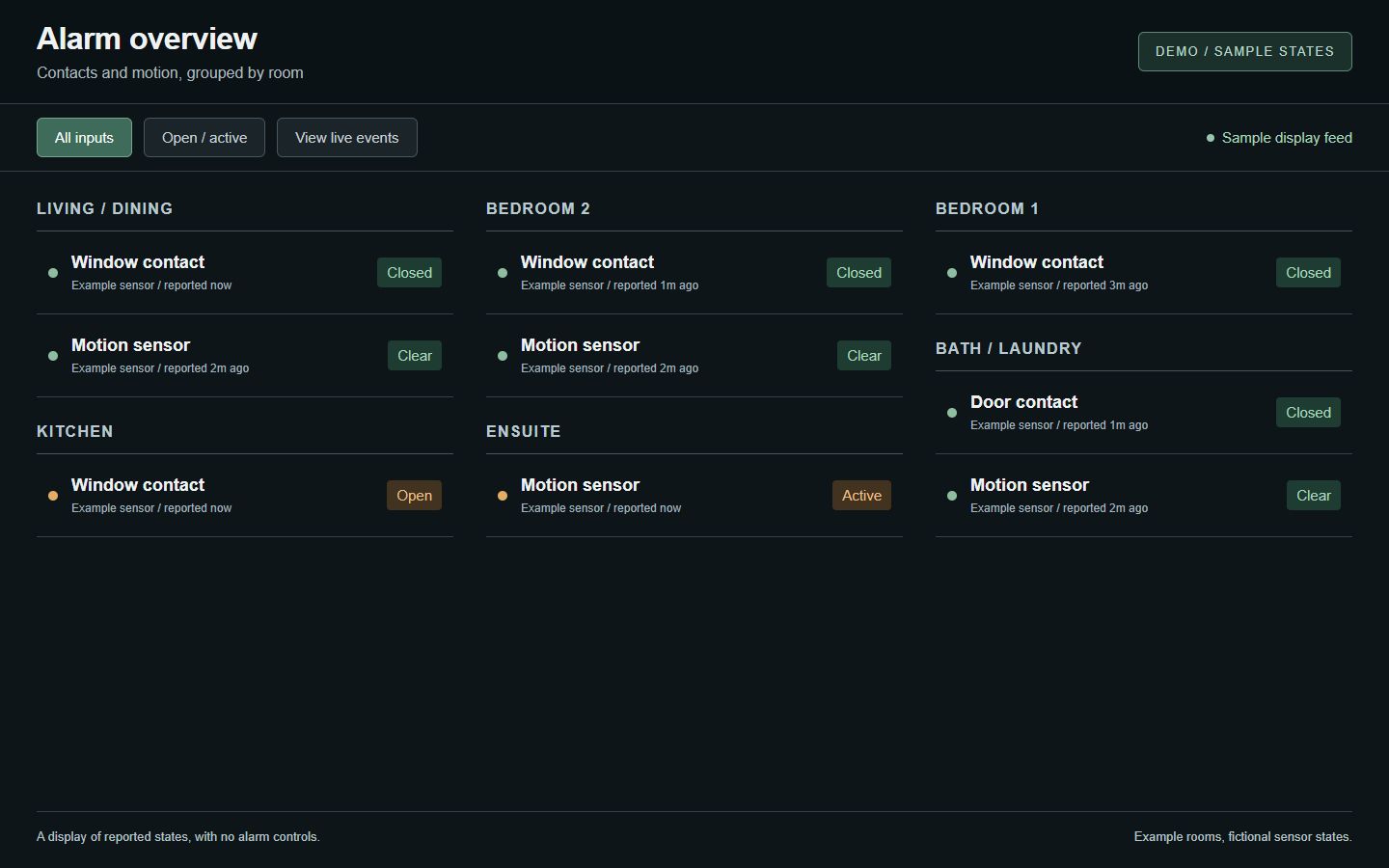
Check the reported state

Motion and door/window contacts, grouped by room.

BEHIND THE BUILD

One system.
Different ways to see it.

Node-RED and MQTT bring the readings together, with Zigbee2MQTT connecting the wireless sensors. The floor plan, dashboards and kiosk give that data a useful place to be seen.

The demonstrations use an example apartment layout and made-up sensor data to keep the real installation private.

04 / KIDS CLOCK

A little clock.
A clearer routine.

A playful way to see the time, follow a countdown and know what comes next.

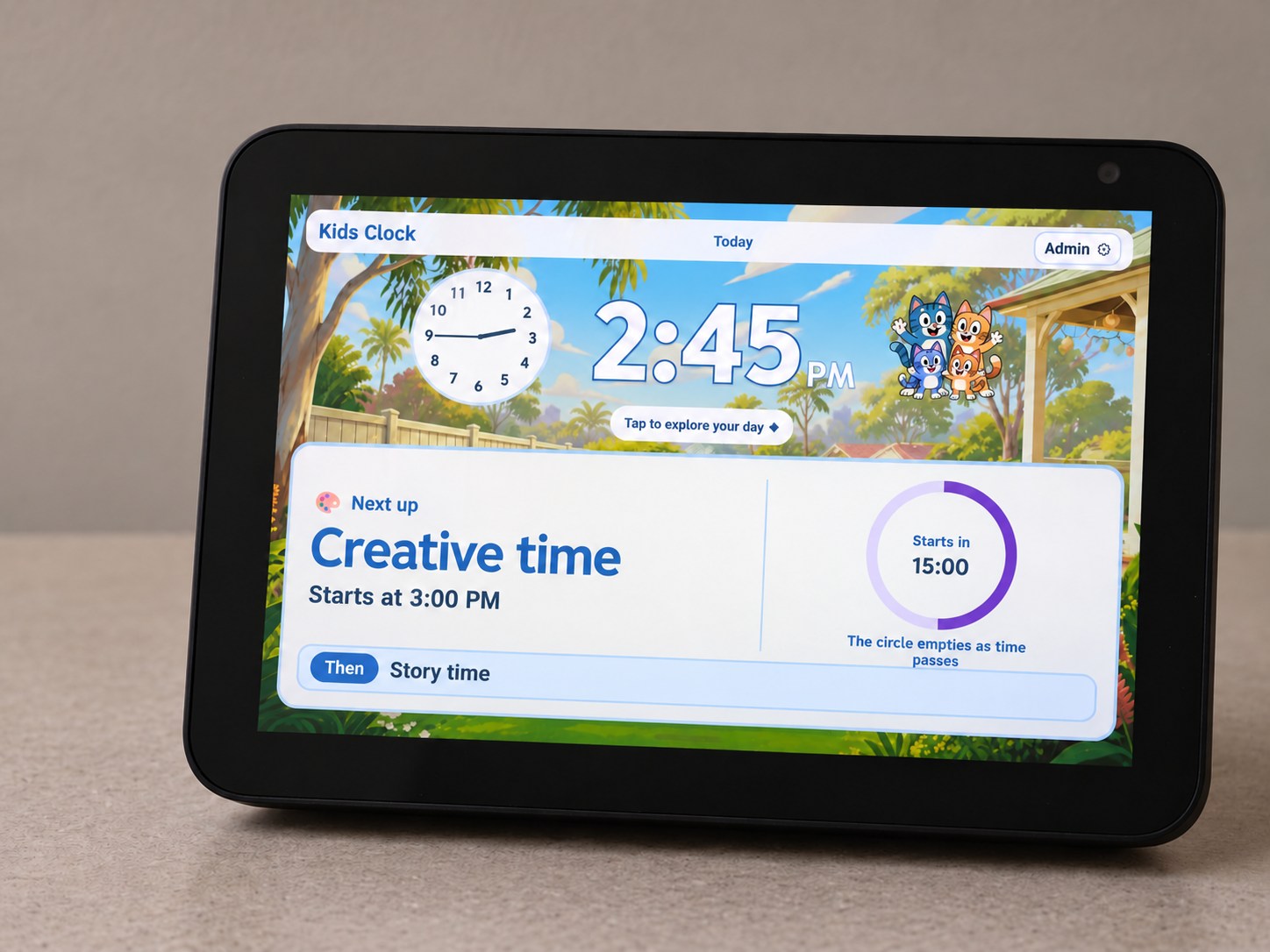
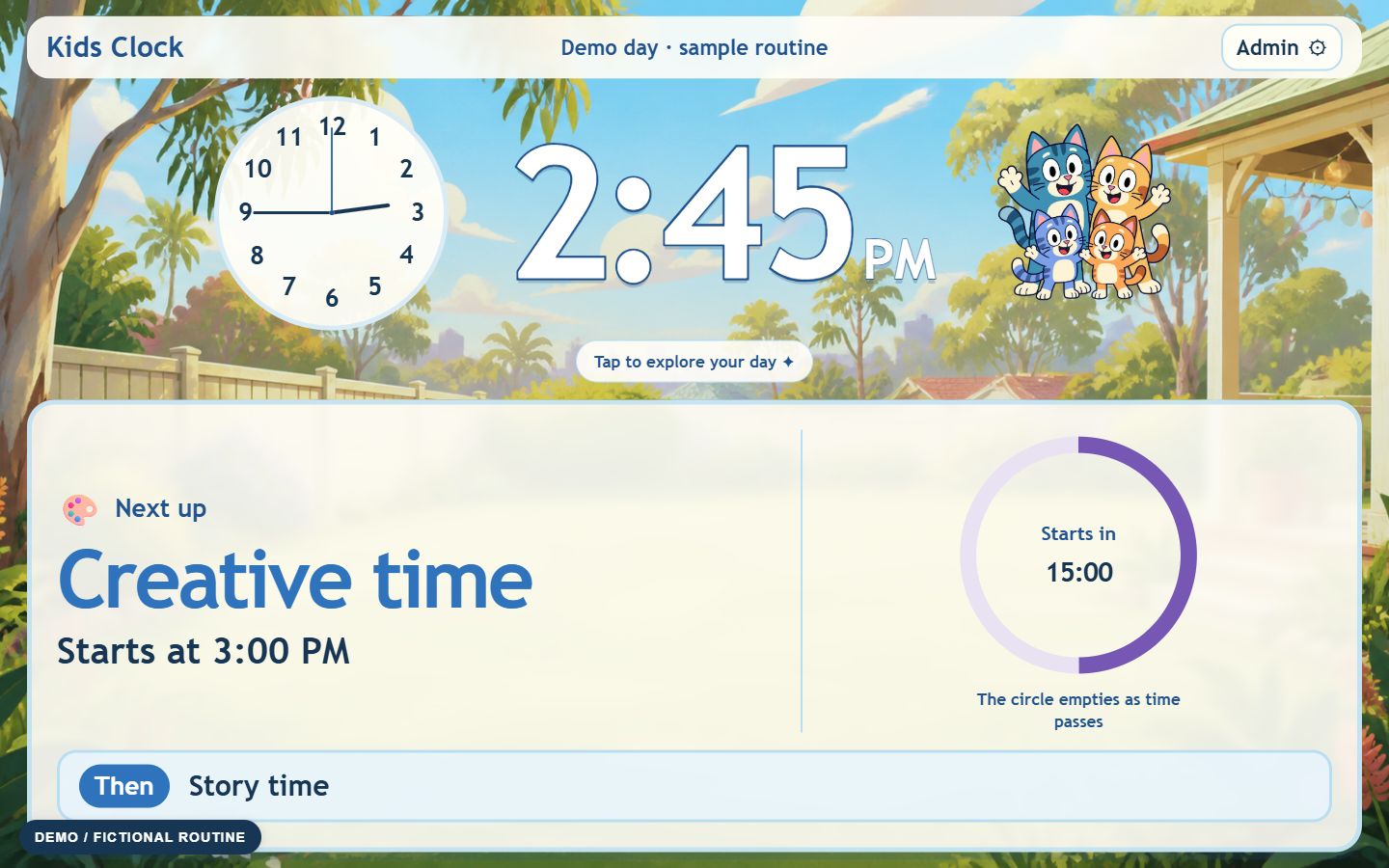
Big analogue and digital clocks sit alongside the next activity. A coloured ring shows time passing, while the simple “Then” strip gives a little look ahead.

  • Visual countdown
  • Daily routines
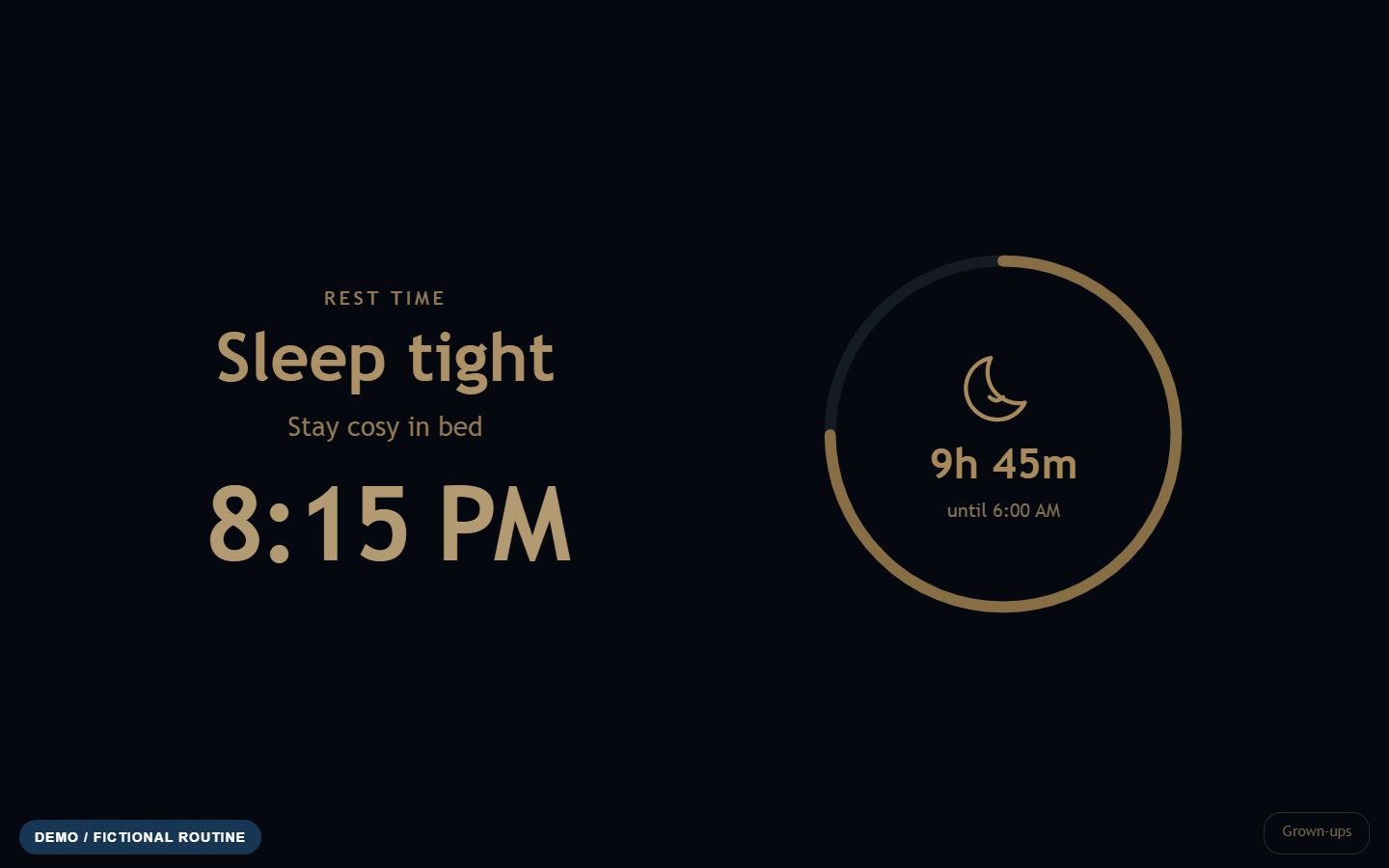
  • Sleep and wake view
See day and night
Edited photo of the actual Echo Show displaying Kids Clock with a fictional routine. The screen and background have been replaced to keep family details private.
Edited photo · actual display, fictional Kids Clock routine
01

See time passing

The countdown ring empties as the next activity gets closer.

02

Know what comes next

A clear activity view and a simple “Then” strip.

03

Keep grown-ups in control

Separate controls for regular routines and changes just for today.

BEHIND THE BUILD

Made for the screen.
Built around the day.

Built for a browser display, with an offline Android version that keeps its routine on the device. Illustrated scenes and friendly cat characters bring a little personality to the clock.

These demonstrations use fictional activities and times to keep family routines private.

05 / OPENPLAN3D

Design in 2D,
explore in 3D.

Draw a plan. Place the details. Step inside the idea.

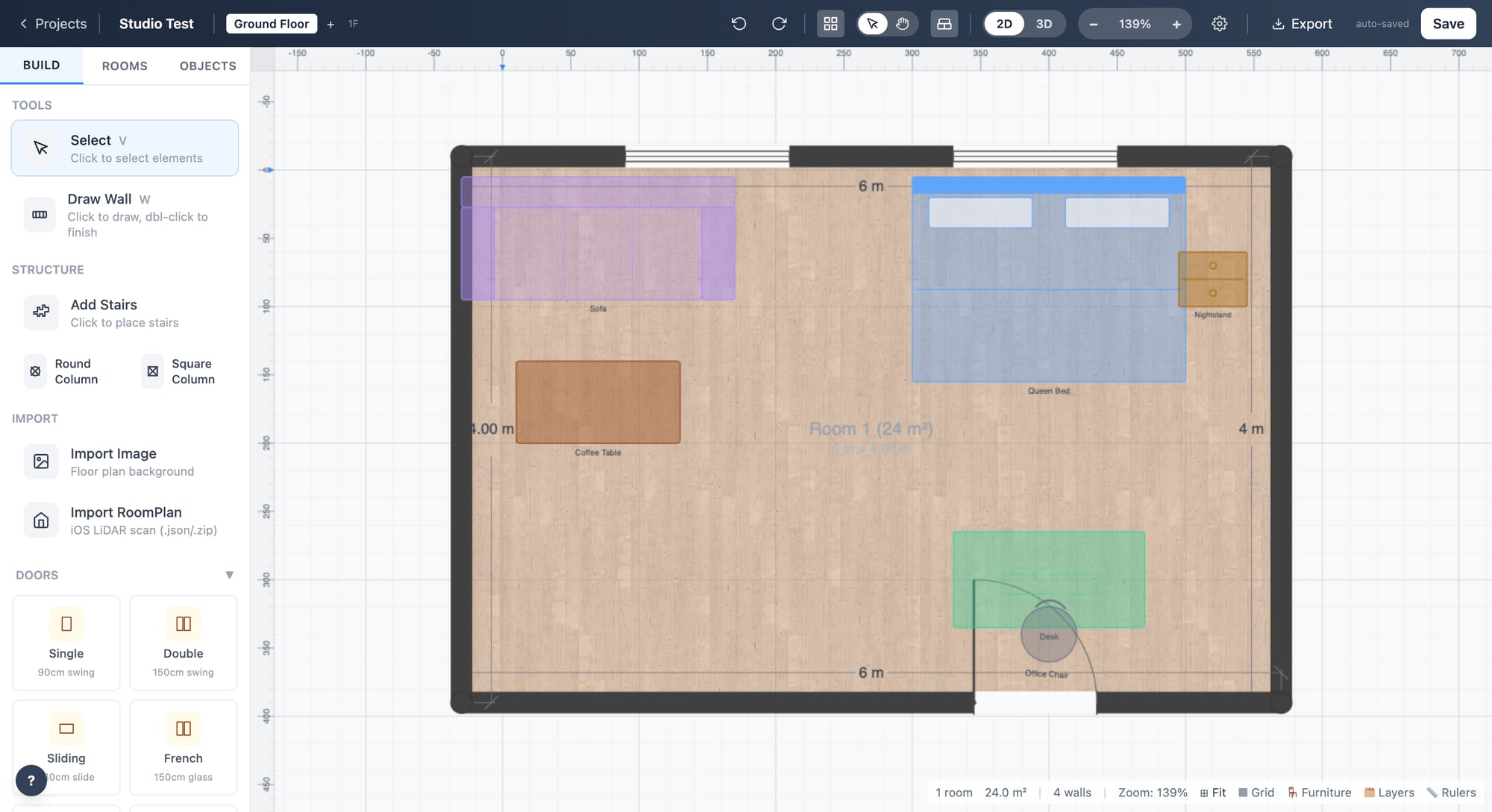
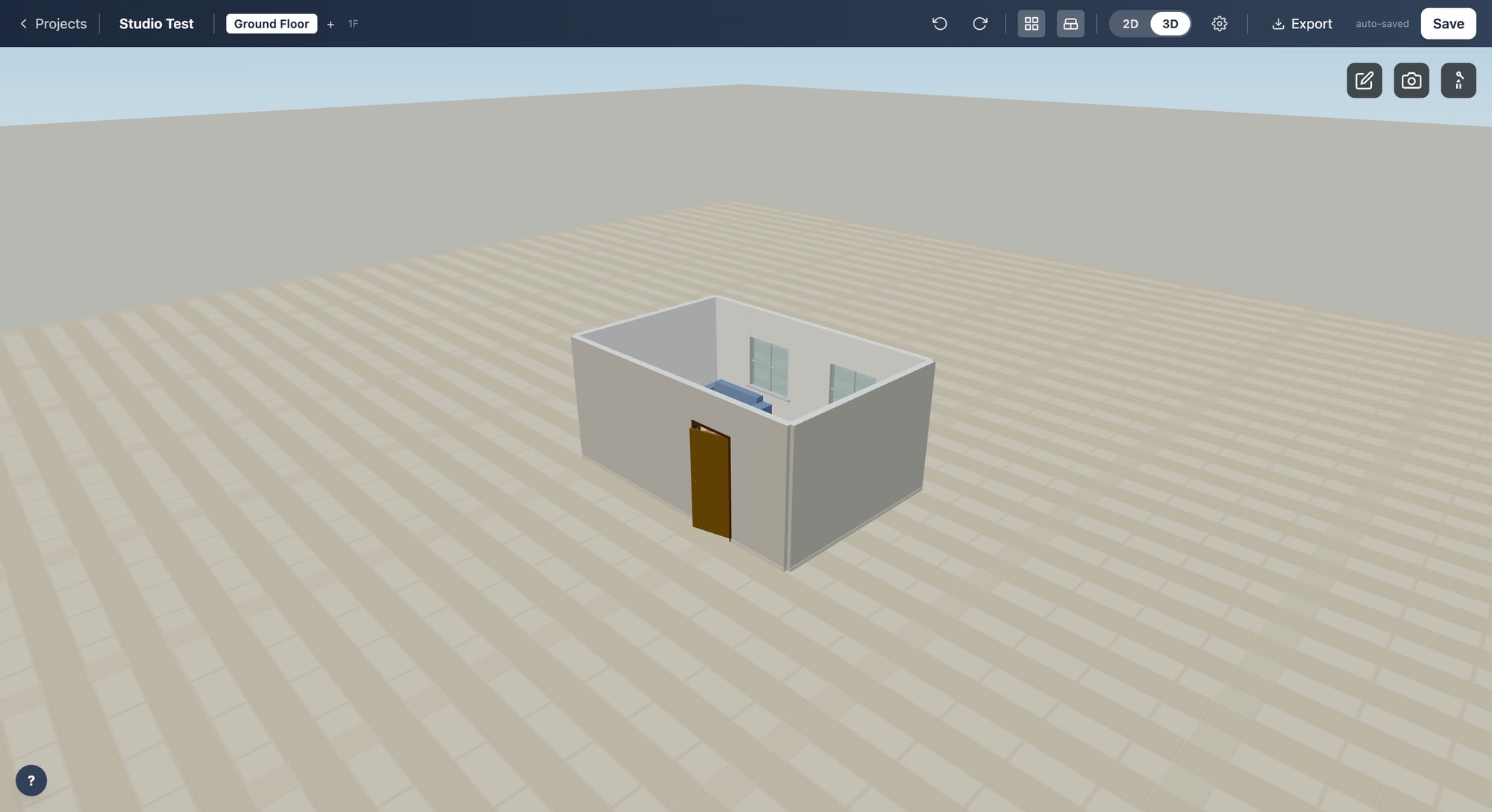
Walls, openings and furniture come together in a floor-plan editor that runs in the browser, with a 3D view of the same design.

  • 2D planning
  • 3D exploration
  • Furniture and materials
Compare the views
Published OpenPlan3D Studio Test example in 2D: a rectangular studio with a sofa, bed, coffee table and desk. This is the project's sample layout, not the real home.
2D / PLAN THE SPACE

Start with the layout.

OpenPlan3D sample screenshot · Studio Test

Published OpenPlan3D Studio Test example in 3D, showing the same rectangular studio, doorway and windows as the matching 2D plan. This is a sample project.
3D / EXPLORE THE IDEA

See the same plan in 3D.

Matching sample screenshot · Studio Test

01

Shape the space

Plan walls, doors and windows before adding the details.

02

Try the layout

Place furniture and explore how the space fits together.

03

Look from another angle

Switch from a drawing to a navigable 3D view.

BEHIND THE BUILD

From a flat plan
to a sense of space.

OpenPlan3D is an open-source editor. Project work spans editing tools, model handling and export workflows.

The matching views use the published Studio Test example, keeping the real home layout private.

06 / FRIGATE CAMERA DETECTION & AUTOMATION

More than
a camera feed.

Smarter camera monitoring with detection and custom event workflows.

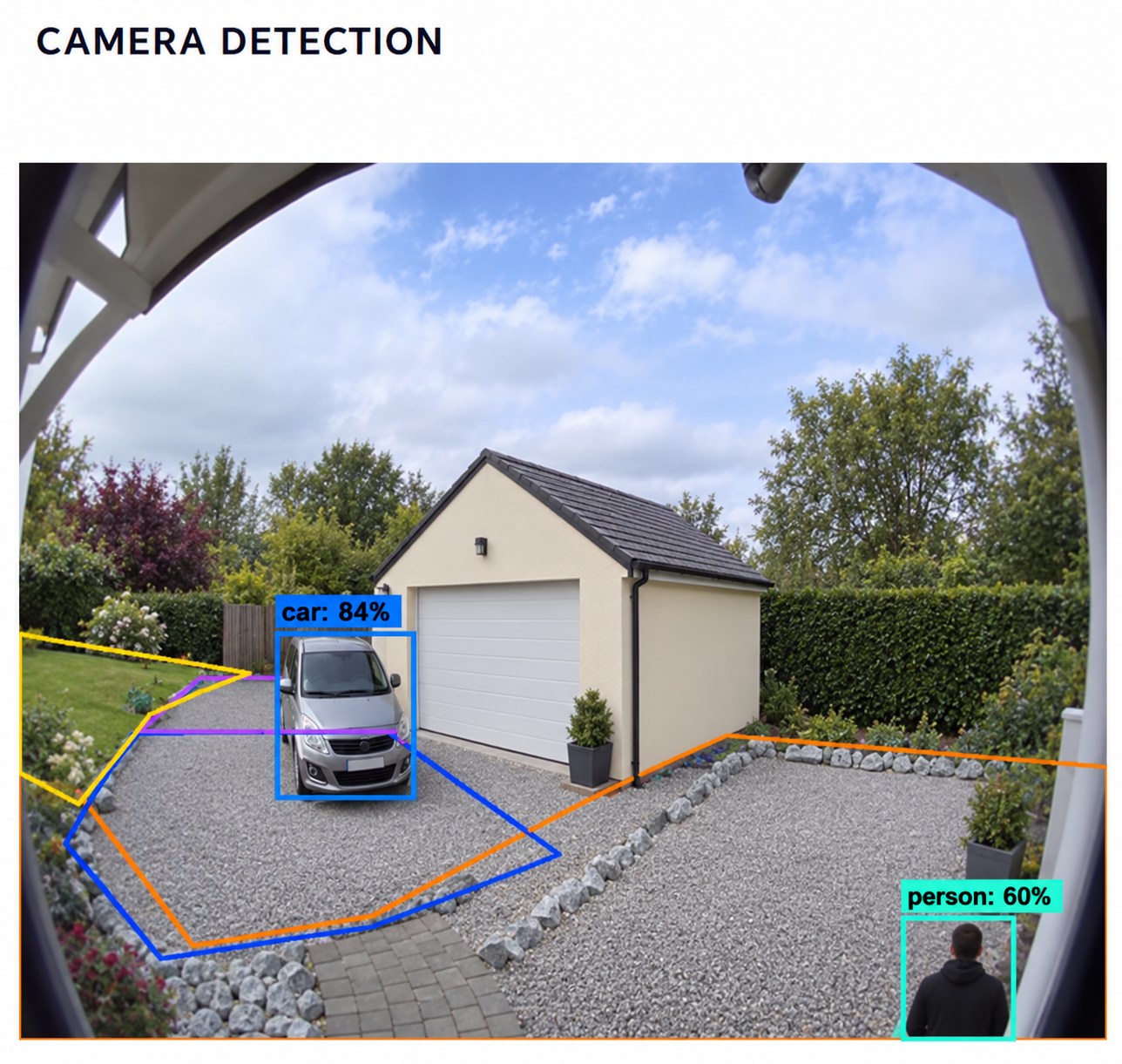
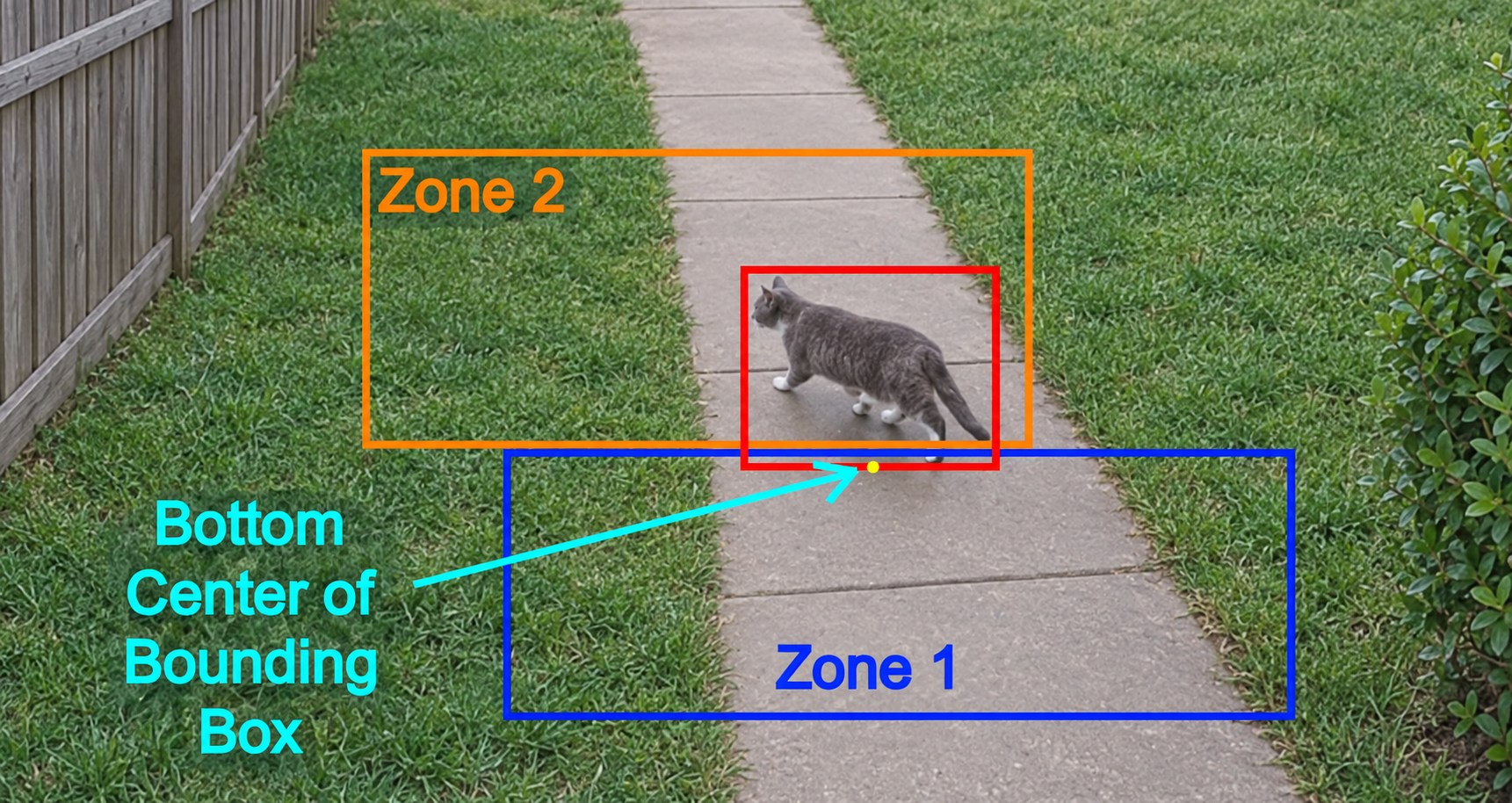
Frigate brings detected activity into an event history you can review. Node-RED adds a place to filter those events and connect them to the wider system.

  • Object detection
  • Event review
  • Custom workflows
See detection in action
Edited Frigate example showing car and person detection boxes with coloured ground zones. The scene, person and identifying details have been changed for privacy.
Edited example · object detection and zones
01

Spot detected activity

Object detection adds context beyond a moving image.

02

Look back at events

A reviewable history makes activity easier to follow.

03

Build around the event

Custom filters create a starting point for integration.

FRIGATE / NODE-RED

From detection to a useful workflow.

Current build and newer experiments.

IN USECamera detection and event history.

LOCAL PROTOTYPESKeyword and semantic-score filters, prepared and tested locally. Live deployment of these branches remains to be verified.

  1. 01

    Frigate event

    Start with a detection or trigger message.

  2. 02

    Filter the match

    Apply a keyword or score rule.

  3. 03

    Node-RED hand-off

    Pass a qualifying event to the next step.

Prototype workflow diagram · no live action is triggered by this page.

BEHIND THE BUILD

Detection.
Context. Integration.

Frigate provides camera detection and review, with MQTT and Node-RED connecting event workflows.

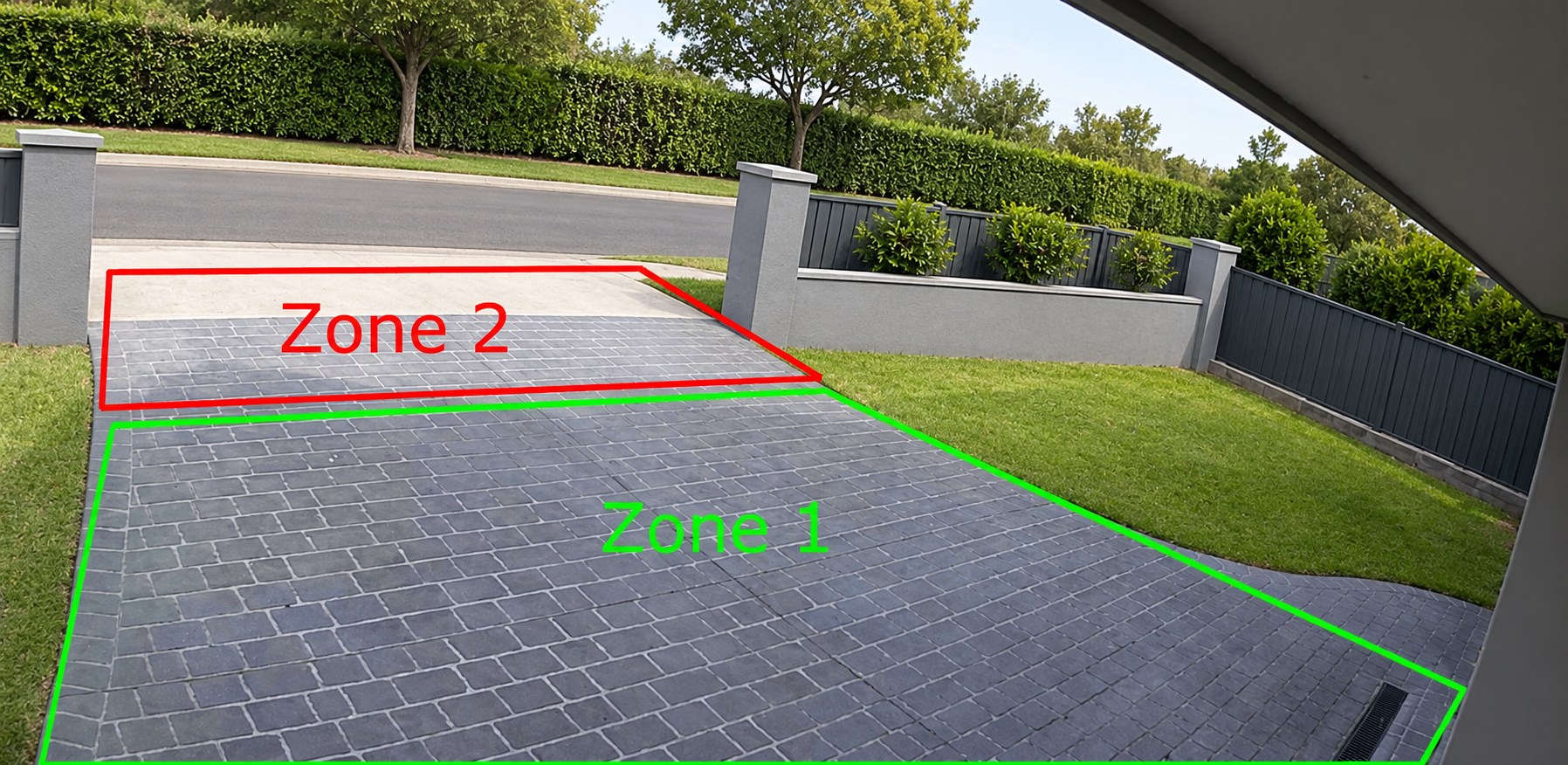
These examples have anonymised scenes and edited overlays for privacy. Learn more about Frigate zones.

07 / SMART LIGHTING DASHBOARD

One screen
for every mood.

Lights, dimmers and scenes brought together in one simple interface.

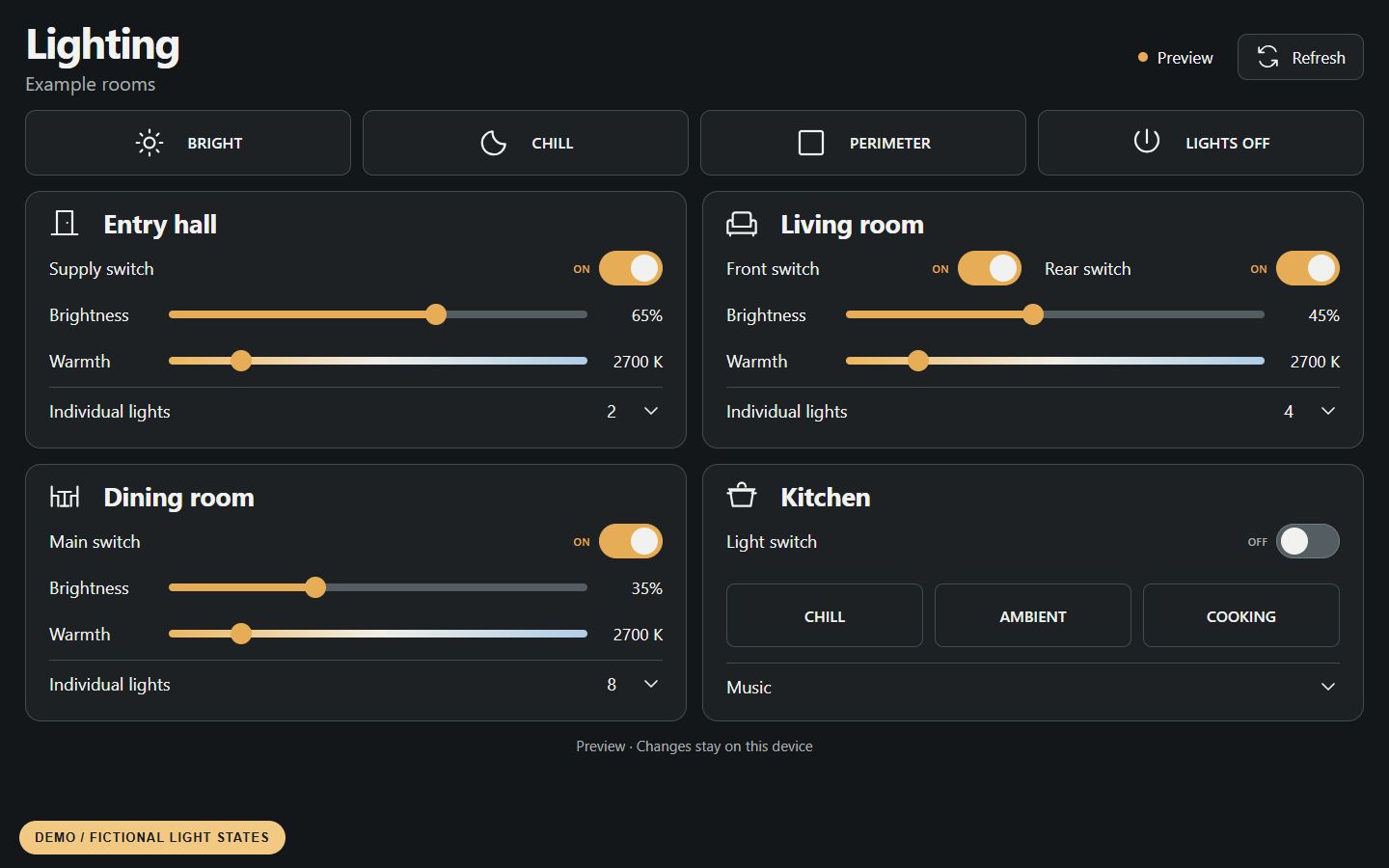
A custom Node-RED dashboard groups room controls, brightness, colour temperature and scene shortcuts into a clear view for a tablet or touchscreen.

  • Room controls
  • Brightness and warmth
  • Scene shortcuts
Explore the dashboard
Custom lighting dashboard running in its isolated local simulator, with example rooms, fictional on/off states, brightness and warmth sliders, and scene shortcuts. This is a demonstration, not live household state.
Demonstration · isolated lighting simulator with fictional states
01

Choose the room

Room cards put the right controls within easy reach.

02

Set the mood

Brightness, warmth and scene shortcuts in one place.

03

See the reported state

Clear on/off readings, with controls waiting for fresh device reports.

BEHIND THE BUILD

Smart lighting,
made approachable.

The custom interface runs through the existing Node-RED setup, bringing switches, dimmers and scene entry points together.

The sample screenshot uses the local simulator. It shows no real device state and sends no light or scene commands.

Soil-monitoring screenshots are captures from the build. OpenPlan3D uses published sample layouts. Echo Show photos have edited backgrounds and demo screens for privacy. Frigate examples have anonymised scenes and edited overlays. Other visuals are labelled demonstrations with fictional data.